
Short answer
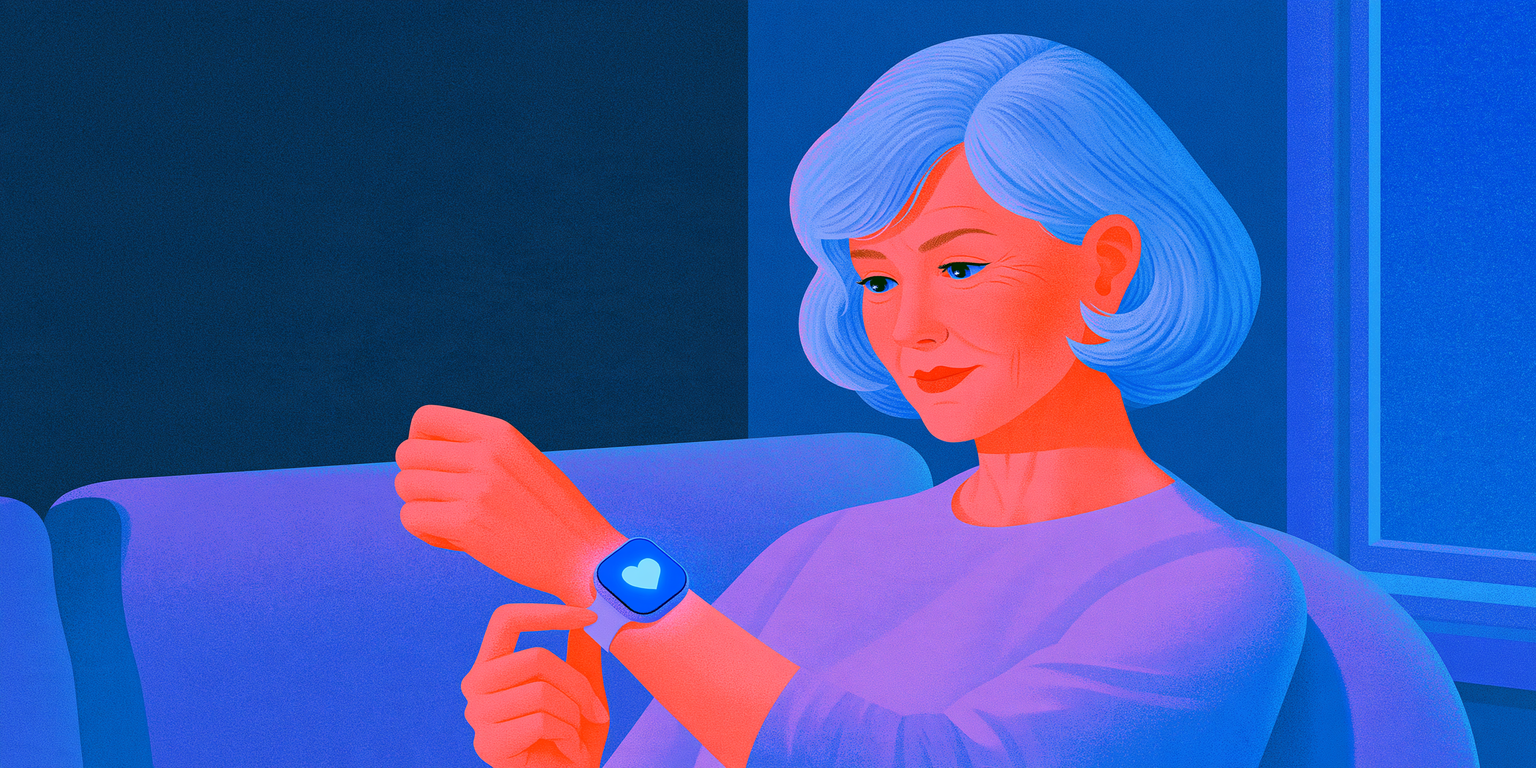
The best smartwatch for a senior is the one that matches their phone and can call for help on its own: Apple Watch for an iPhone user, Galaxy Watch or Pixel Watch for an Android user — ideally a cellular model with fall detection turned on. More than one in four people aged 65 and older fall each year, and less than half tell their doctor (1), so the safety features matter more than the fitness ones. Apple Watch turns fall detection on automatically if the wearer's age is 55 or older and can call emergency services if the person doesn't move for about a minute (2); Galaxy Watch and Pixel Watch offer fall detection too, but you switch it on yourself (5, 6).
The short rule: decide by phone first, connection second (cellular or not), and only then by health features like ECG or blood pressure.
If you're shopping for a parent who lives alone and keep picturing the fall nobody hears about, you're not overreacting. That worry is exactly what these features were built for — and it's also why the setup matters as much as the watch.
Note: this article is for general education and is not medical advice. No smartwatch detects every fall, and watch notifications don't diagnose a heart condition. Chest discomfort, shortness of breath, a cold sweat, sudden weakness, or a rapid or irregular heartbeat with lightheadedness need emergency care: call 911. Device features were checked on Apple's, Samsung's and Google's official pages on November 8, 2026, and can change with software updates and by country. This guide is published by Welltory, which makes one of the apps mentioned. Apple and Apple Watch are trademarks of Apple Inc.; Samsung and Galaxy are trademarks of Samsung Electronics; Google, Pixel and Fitbit are trademarks of Google LLC. Welltory is not affiliated with any of these companies.


Give a year of Welltory Premium
A caring gift: a year to see how they sleep, recover and handle stress. $99 as of November 8, 2026.
What makes a smartwatch good for an older adult
Most "best smartwatch" lists rank screens, battery and workout modes. For an older adult, the order is different. Here is what to check, from most to least important.
It works with the phone they already use. Apple Watch needs an iPhone (or a family member's iPhone for setup — more on that below). Galaxy Watch and Pixel Watch work with Android phones. A watch that fights the phone ends up in a drawer. Our guide to whether Apple Watch works with Android covers the details.
It can call for help. Fall detection, an SOS button press and the ability to share location with family. Check what happens if the phone is in another room.
It has its own connection when needed. A cellular (LTE) model can reach emergency services without the phone nearby, if there's service. A Bluetooth-only watch depends on the phone being close.
It's easy to read and charge. Large text, a simple watch face, a charger that sits by the bed. If charging feels like a chore, the watch won't be on the wrist when it matters.
Its heart features fit the person. ECG, irregular rhythm notifications and blood pressure features are useful for some people and noise for others — and several need a specific phone.
Someone else can help manage it. Emergency contacts, Medical ID and settings are easier when a family member set them up and knows where they live.
Notice what's missing: step counts, workout modes and sleep scores. They're nice, but they don't decide whether a watch is right for a parent.
Best smartwatch for seniors at a glance
Features below are from each company's official support pages, checked on November 8, 2026. Availability varies by model, country and software version, and we don't list prices because they change weekly during the holidays.
| What you need | Apple Watch | Galaxy Watch | Pixel Watch |
|---|---|---|---|
| Phone it works with | iPhone; Family Setup lets someone else's iPhone set it up (3) | Android; some heart features need a Samsung phone (7) | Android |
| Fall detection | SE or later, Series 4 or later, Ultra; on automatically at age 55+ (2) | Hard fall detection in Galaxy Wearable → Safety and emergency (5) | Pixel Watch 1–4; you turn it on (6) |
| What happens after a fall | About a minute without moving starts a 30-second countdown, then a call to emergency services (2) | Emergency alert; SOS messages with location to contacts you set (5) | Waits about 30 seconds, asks; calls emergency services after 60 seconds without a response (6) |
| Without the phone nearby | Needs cellular, Wi-Fi Calling or satellite (2) | Needs LTE activated for SOS (5) | Needs 4G LTE (6) |
| Extra safety features | Emergency SOS, Medical ID | SOS messages and calls | Loss of Pulse Detection (Pixel Watch 3 and 4), Safety Check, Emergency Sharing (6) |
| Blood pressure | Hypertension notifications on Series 9 or later and Ultra 2 or later, not SE (4) | Cuff-calibrated readings in the US with a Galaxy phone (8) | No blood pressure feature |
If your parent uses an iPhone, Apple Watch is the natural choice. If they use a Samsung phone, Galaxy Watch gets the most features. If they use another Android phone, Pixel Watch is the simpler fit; we compare the Android options in more depth in the best Android smartwatch for heart health.
Fall detection: how it works on each watch
Fall detection uses the watch's motion sensors to spot the pattern of a hard fall: a sudden impact followed by stillness. Apple and Google say it plainly: the watch can't detect every fall, and high-impact activity can set it off by mistake (2, 6). Expect the same limits from any watch, and think of it as a backup, not a guarantee.
Apple Watch. After a hard fall, the watch taps the wrist, sounds an alarm and shows an alert. The person can dismiss it or call emergency services. If they're moving, the watch waits for a response. If they're still for about a minute, a 30-second countdown starts, and if no one cancels it, the watch calls emergency services, plays a recorded message about the fall and shares the location. Emergency contacts from the Medical ID then get a message with that location. It's available for people 18 and older, and it turns on automatically if the age entered at setup or in the Health app is 55 or older (2).
Galaxy Watch. Samsung calls it hard fall detection. You turn it on in the Galaxy Wearable app under Watch settings → Safety and emergency. Depending on the model, you can choose when it works — always, during physical activity or only during workouts — and whether to require a swipe before an emergency call. Emergency contacts receive SOS messages with the current location. A watch that shows "Emergency calls only" needs LTE activated to send SOS requests without the phone (5).
Pixel Watch. After a hard fall, Pixel Watch waits about 30 seconds, then vibrates, rings and asks whether to call emergency services. If there's no response, it alarms and calls after 60 seconds with an automated voice message, sharing location if location permission is on. Without 4G LTE, the paired phone must be nearby. It's for adults only and isn't available in every country (6).
Why this matters for older adults: falls are the most common cause of traumatic brain injury in older people, and many who fall become afraid of falling again, cut back on activity and become more likely to fall (1). A watch that can summon help doesn't prevent the fall, but it may help someone get help sooner if they can't get up — and it can make staying active feel safer.
Apple Watch for seniors: with or without their own iPhone
Apple Watch is the most common answer to "best smartwatch for seniors," and for iPhone users it usually is the right one. But there's a twist many families don't know about: Apple's Family Setup lets you set up an Apple Watch for a family member who doesn't have an iPhone.
Here is what Family Setup needs, according to Apple (3):
An Apple Watch Series 4 or later or Apple Watch SE or later, with cellular;
watchOS 7 or later;
your iPhone (iPhone 6s or later with iOS 14 or later) for the initial setup;
a Family Sharing group that includes the person who'll wear the watch, and you as organizer or parent/guardian.
A cellular plan isn't required to set the watch up, but some features need one.
The trade-off is real. With Family Setup, Apple lists several health features as not available, including irregular heart rhythm notifications, ECG, AFib History, Sleep, Blood Oxygen, Walking Steadiness and Medications. Fall detection still works for users 18 and older (3). So Family Setup is a good fit for a parent who mainly needs emergency help and simple communication. If heart rhythm monitoring is the main reason for the gift, the parent needs their own iPhone.
For a parent who already has an iPhone, a regular setup on their phone gives the full set of health features. Our explainer on what Apple Watch measures and what it doesn't explain walks through each one.
Heart features: ECG, irregular rhythm and blood pressure
Heart features are where marketing gets loudest, so it helps to know what each one actually does.
ECG and irregular rhythm notifications. Apple Watch, Galaxy Watch and Pixel Watch all offer an ECG app on supported models and countries, and passive notifications that look for an irregular rhythm suggestive of atrial fibrillation. These are screening tools: a notification is a reason to talk to a doctor, not a diagnosis. Samsung lists the ECG app as unavailable when Galaxy Watch is paired with a non-Samsung Android phone (7). If your parent already has a diagnosis, our guide to atrial fibrillation explains what home tracking can and can't add.
Apple Watch hypertension notifications. Apple Watch Series 9 or later and Ultra 2 or later can look for patterns of chronic high blood pressure over 30-day periods and notify the wearer of possible hypertension. It's for people 22 and older, not available on Apple Watch SE, and not for people who are pregnant or already diagnosed with hypertension. Apple says plainly that not everyone with hypertension gets a notification. After a notification, the watch prompts you to log readings with a third-party cuff for 7 days (4).
Galaxy Watch blood pressure. In the US, Samsung Health offers blood pressure readings on Galaxy Watch that are calibrated against a regular cuff and need a Galaxy phone (8). Our article on Galaxy Watch blood pressure explains the calibration routine.
The cuff still matters. The American Heart Association recommends an automatic, upper-arm cuff that has been validated, and says wrist and finger monitors are not recommended because they give less reliable readings (9). For a parent with high blood pressure, a validated upper-arm cuff is often a better first gift than a watch — see our guide to choosing a home blood pressure monitor.
Smartwatch or medical alert watch?
A "medical alert watch" usually means a device sold with a monitoring service: you press a button or the device detects a fall, and a call center answers. A smartwatch usually calls emergency services or a family contact directly. Neither is better for everyone.
A smartwatch tends to fit when the person:
already uses a smartphone comfortably;
wants messages, calls and photos from family, not just emergency help;
will charge a device every day or two.
A dedicated medical alert device tends to fit when the person:
doesn't use a smartphone, or finds touchscreens frustrating;
prefers a live person to answer, who can call family or neighbors;
needs a device that's simpler to charge or wear around the clock.
Compare monitoring fees, contract terms and cancellation rules before you buy any service. We don't review specific medical alert brands here.
How to set up a smartwatch for a parent: step by step
The setup is where most of the safety value is won or lost. Plan an hour together, in person if you can.
Check the phone first. Make sure it's compatible with the watch and updated. For Galaxy Watch, note whether it's a Samsung phone, since several heart features depend on it.
Enter the correct age and health details. On Apple Watch, an age of 55 or older turns fall detection on automatically (2). Fill in the Medical ID: conditions, medications, allergies.
Add two emergency contacts. One nearby, one reliable by phone. Tell both of them what the alert will look like.
Turn on fall detection and check the mode. On Galaxy Watch and Pixel Watch, it's a setting you switch on (5, 6). Choose "always" rather than "only during workouts" for an older adult.
Activate cellular if you bought an LTE model. Without it, the watch depends on the phone being nearby.
Set up a large, simple watch face. Time, date, battery, maybe heart rate — nothing else. Turn up text size and haptic strength.
Practice the SOS gesture once, with an emergency call cancelled. Knowing how to cancel a false alarm makes people more willing to leave the feature on.
Put the charger in a fixed place. Many families charge during the morning shower or breakfast so the watch is on at night, when a trip to the bathroom is a common moment for a fall.
Agree on a check-in. Decide together who looks at alerts and how often, so the watch supports independence rather than feeling like surveillance.
Common mistakes when buying a smartwatch for a senior
Buying the watch before checking the phone. An Apple Watch for an Android user, or a Galaxy Watch expecting full features on a non-Samsung phone, leads to frustration.
Choosing Bluetooth-only to save money when the parent often leaves the phone behind. Fall detection then depends on the phone being in range.
Assuming fall detection is on. On some watches it's off until you turn it on.
Leaving emergency contacts empty. The watch can only message people it knows about.
Buying for the heart features but setting it up with Family Setup. ECG and irregular rhythm notifications aren't available that way (3).
Treating a calm watch as an all-clear. No notification doesn't mean no problem; Apple says not everyone with hypertension gets a notification (4).
Gifting it in a box and leaving. A watch without setup and a quick lesson often goes unused.
Which one fits: five common situations
Mom has an iPhone, lives alone and walks every day. A cellular Apple Watch with fall detection, Medical ID and two emergency contacts. Full health features come with her own iPhone.
Dad has no smartphone and doesn't want one. Either a cellular Apple Watch through Family Setup (emergency help, calls and messages, but no ECG or irregular rhythm notifications) or a dedicated medical alert device (3).
Grandpa has a Samsung phone and high blood pressure. Galaxy Watch with hard fall detection on, plus a validated upper-arm cuff for the readings his doctor will trust most (8, 9).
Your aunt uses a Pixel or another Android phone. Pixel Watch with fall detection switched on; on Pixel Watch 3 and 4, Loss of Pulse Detection adds another layer, and Safety Check can share location if she doesn't check in (6).
A parent mostly wants step counts and simple sleep data. A basic fitness band may be enough — but most simple bands lack the emergency calling that makes a watch worth it for an older adult. Before buying anything, see whether the phone already does what they need; our guide on whether you really need a new wearable helps with that.
Living with a smartwatch as an older adult: the questions people ask next
Is an Apple Watch good for seniors?
For an iPhone user, yes, mostly because of fall detection that switches on automatically at 55 and up, Emergency SOS and Medical ID (2). The catch is daily charging and a small screen; pick the larger case size and a simple face.
Does the watch call 911 if Mom falls and can't answer?
Apple Watch calls emergency services after about a minute of stillness and a 30-second countdown; Pixel Watch calls after 60 seconds without a response (2, 6). Galaxy Watch sends SOS messages and can call contacts you assign (5). Each needs a connection — the phone nearby or cellular.
What about false alarms?
They happen, especially with high-impact activity. Teaching your parent how to cancel an alert is part of setup; people who know how to cancel are less likely to switch the feature off.
Can I see my parent's health data from my phone?
It depends on the ecosystem and on their consent. Apple's Family Setup includes optional Health Data and Health Sharing features (3). Agree on what's shared before you turn anything on.
Is a simple smartwatch better for seniors?
Simpler is better for daily use, but don't trade away fall detection and calling. A full smartwatch set up with a minimal face often works better than a "simple" device without emergency features.
Before you blame yourself
If you gave a parent a watch last year and it now lives in a drawer, it's easy to decide you picked wrong or they "aren't tech people." Before you blame either of you, look at what actually happened.
The feeling: "They just don't use it."
The likely cause you can check: the charger isn't where they charge things, the text is too small, or no one showed them how to cancel an alert — so they took it off to avoid embarrassment.
One lever for the next two weeks: move the charger next to the coffee maker, set one big watch face and a call to check in on day three. Then see whether the watch stays on the wrist.
Most "they won't wear it" stories are setup stories.
When to see a doctor
A smartwatch is a safety net, not a substitute for care. Encourage your parent to see a doctor when:
they fell, even without obvious injury — CDC notes that less than half of older people who fall tell their doctor (1);
they hit their head, especially if they take blood thinners — CDC advises seeing a doctor right away (1);
the watch shows an irregular rhythm notification or a hypertension notification (4);
they feel dizzy, unsteady or afraid of falling and are cutting back on activity.
Call 911 for chest discomfort, shortness of breath, a cold sweat, nausea or lightheadedness — warning signs of a heart attack (10) — or after a fall with a head injury, confusion or inability to get up.
How to bring this up with your doctor
Going with a parent to an appointment? A few things make the conversation more useful.
Ask by name: "Should we do a fall risk check?" and, if the watch flagged something, "What should we do with an irregular rhythm notification?"
Bring: the list of medications, any falls or near-falls in the last year (date, time, what happened), and the watch notifications or the 7-day blood pressure log if the watch prompted one (4).
Bring the cuff, if they use one at home, so the office can check it against their own reading (9).
If you're told "it's just age": say what changed and when — "She stopped her morning walk in September because she's scared of falling" is information a clinician can act on.


Start understanding your body
Learn what affects your energy, stress, sleep, and daily state. Get the app.
How Welltory helps — and what it cannot do
The limits first. Welltory is a general wellness product, not a medical device. It doesn't detect falls, call emergency services, diagnose arrhythmias or measure blood pressure. For safety, rely on the watch's own features and the plan you set up together.
What it can add once the watch is set up:
Heart rate variability (HRV) measurements on Apple Watch and Galaxy Watch. Welltory's compatibility list marks Apple Watch and Samsung Watch for both HRV measurements and activity tracking; Pixel Watch, Fitbit and Garmin watches are marked for activity tracking only (11). On Galaxy Watch4 and later, the free plan includes one manual and one automatic watch measurement a day; Welltory Premium, a paid subscription that renews automatically until you cancel, removes the limit (12).
A spot reading without a watch. On phones where the camera and flash sit close together, your parent can take a short HRV and heart rate reading with a fingertip on the camera — a deliberate spot reading, not continuous monitoring. It doesn't work on Google Pixel phones (13).
A record to bring to the doctor. From the web app, data can be exported as CSV: Dashboard → choose a chart → pick the time range → Export (14).
How we made it
We based this guide on Apple's support pages on fall detection, Family Setup and hypertension notifications, Samsung's US support page on emergency features and its Galaxy Watch8 and blood pressure pages, Google's Pixel Watch safety help page, the CDC's facts on older adult falls, and the American Heart Association's guidance on home blood pressure monitoring and heart attack warning signs. Device features were checked on November 8, 2026. Search questions came from what people in the United States most often ask about the best smartwatch for seniors. For the product section, we checked every function against the Welltory Help Center on November 8, 2026.
Made with AI tools, then edited and fact-checked by the Welltory team. See our Editorial & AI policy.
Jane Smorodnikova, co-founder of Welltory, built the methodology behind how we read physiological data.
Written by Tatsiana Yashyna.
Discounts for blog readers: up to 36% off
See what affects your energy, stress, sleep, and daily state with Welltory
This article is for educational purposes only and is not medical advice. No smartwatch detects every fall, and watch notifications do not diagnose a heart condition. Chest discomfort, shortness of breath, a cold sweat or sudden weakness need emergency care: call 911. This guide is published by Welltory, which makes one of the apps mentioned. Welltory is a general wellness product: it helps you track and understand your data and does not diagnose or treat any condition. Sources were retrieved on November 6, 2026.
Was this helpful?
Ask AI for a summary of page


Written by Jane Smorodnikova

The founder and CEO of Welltory. A recognized tech leader with two Master's degrees and experience at MIT, she has scaled Welltory to over 17 million users.
Written by Tatsiana Yashyna

Deputy COO at Welltory. With a background in medicine and years of working with health data, she translates research and real physiological signals — sleep, stress, heart rate, and hormones — into clear, evidence-based explanations that help people understand what their bodies are telling them.
References
- Centers for Disease Control and Prevention — Facts about older adult falls (updated September 4, 2026). https://www.cdc.gov/falls/data-research/facts-stats/index.html
- Apple Support — Use Fall Detection with Apple Watch (May 6, 2026). https://support.apple.com/en-us/108896
- Apple Support — Set up Apple Watch for a family member (October 27, 2026). https://support.apple.com/en-us/109036
- Apple Support — Hypertension notifications on your Apple Watch (September 14, 2026). https://support.apple.com/en-us/117296
- Samsung US Support — Use your Samsung smart watch in an emergency situation (May 4, 2026). https://www.samsung.com/us/support/answer/ANS10002904/
- Google Pixel Watch Help — Get help in an emergency with Google Pixel Watch safety features (accessed November 8, 2026). https://support.google.com/googlepixelwatch/answer/12663810?hl=en
- Samsung US — Galaxy Watch8 product page (accessed November 6, 2026). https://www.samsung.com/us/watches/galaxy-watch8/
- Samsung Mobile Press — Samsung Health blood pressure monitoring comes to Galaxy Watch in the US (March 31, 2026). https://www.samsungmobilepress.com/articles/samsung-health-blood-pressure-monitoring-us-galaxy-watch
- American Heart Association — Monitoring your blood pressure at home. https://www.heart.org/en/health-topics/high-blood-pressure/understanding-blood-pressure-readings/monitoring-your-blood-pressure-at-home
- American Heart Association — Warning signs of a heart attack. https://www.heart.org/en/health-topics/heart-attack/warning-signs-of-a-heart-attack
- Welltory Help Center — Is my device compatible with Welltory for HRV measurements and activity tracking? https://help.welltory.com/en/articles/4998580-is-my-device-compatible-with-welltory-for-hrv-measurements-and-activity-tracking
- Welltory Help Center — Taking measurements with your Samsung watch. https://help.welltory.com/en/articles/5723878-taking-measurements-with-your-samsung-watch
- Welltory Help Center — Taking measurements with your smartphone camera. https://help.welltory.com/en/articles/4412277-taking-measurements-with-your-smartphone-camera
- Welltory Help Center — How to export data from Welltory. https://help.welltory.com/en/articles/3368391-how-to-export-data-from-welltory